LizardHouse Notifications

Ask at the right moment. Bring players back without a backend.

Manage the complete journey from a player’s first permission opportunity to respectful local reminder sequences across Android and iOS.

Android + iOS Local notifications Unity Editor workflow
LizardHouse Notifications
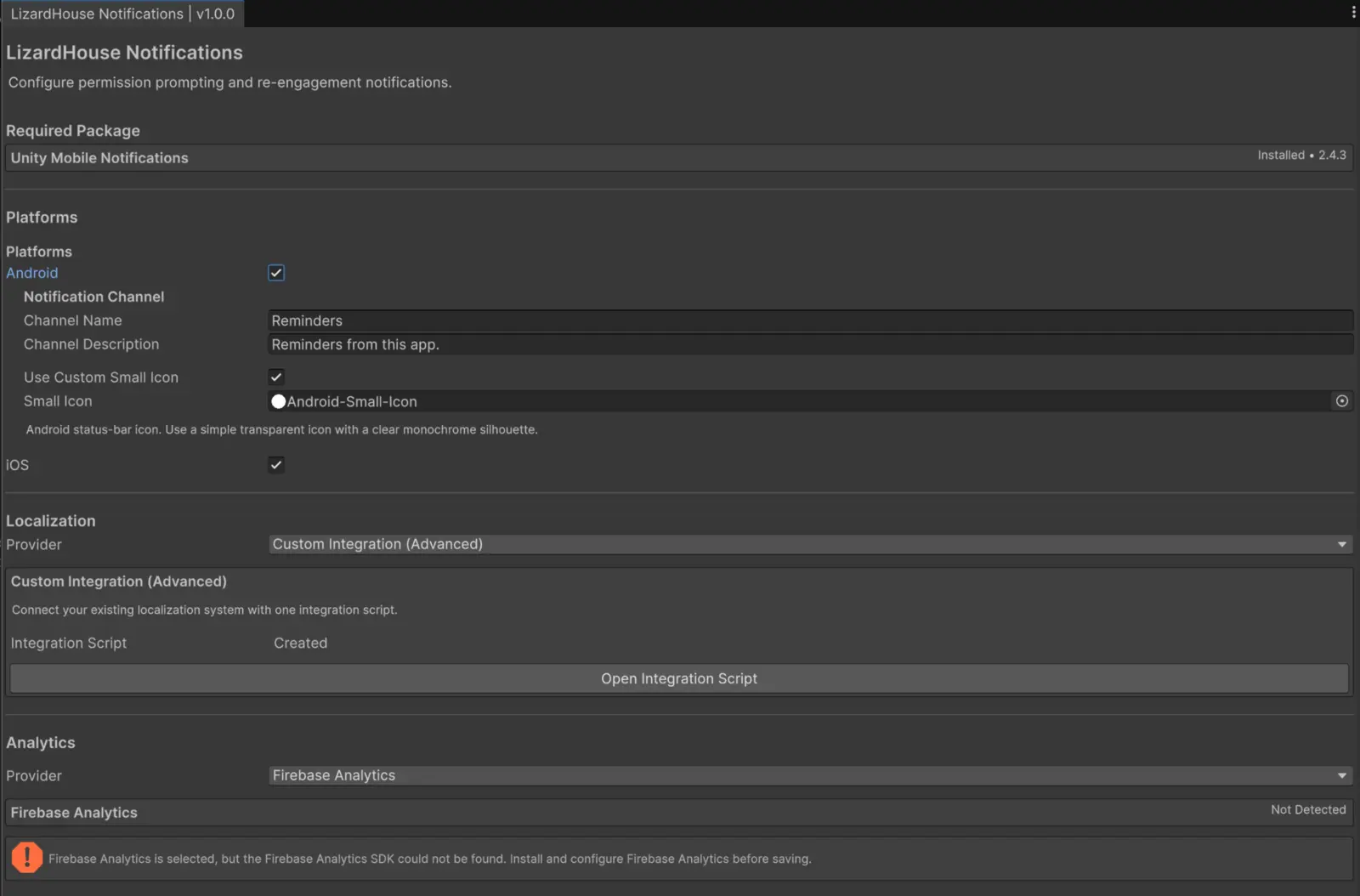
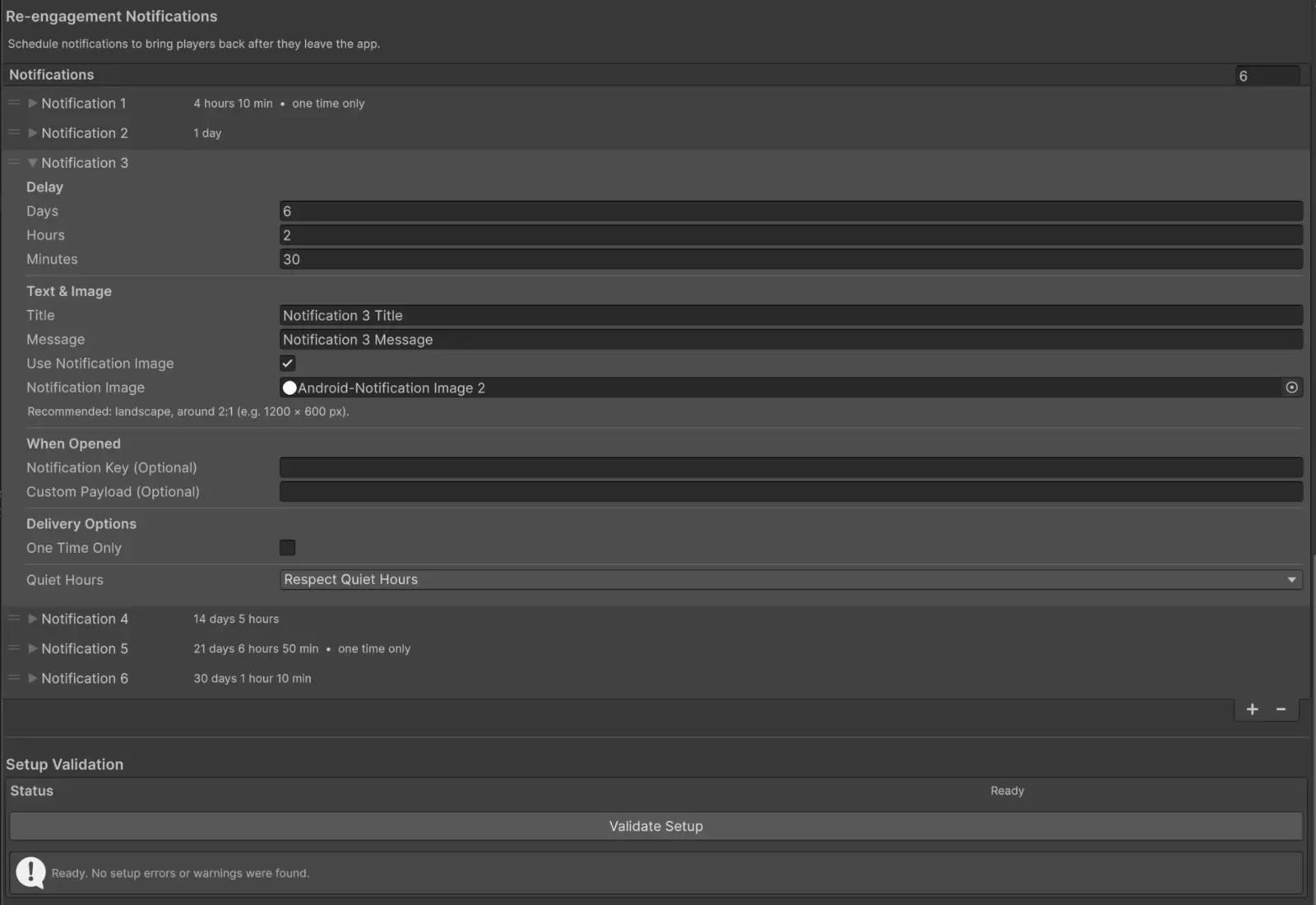
LizardHouse Notifications configuration window inside Unity
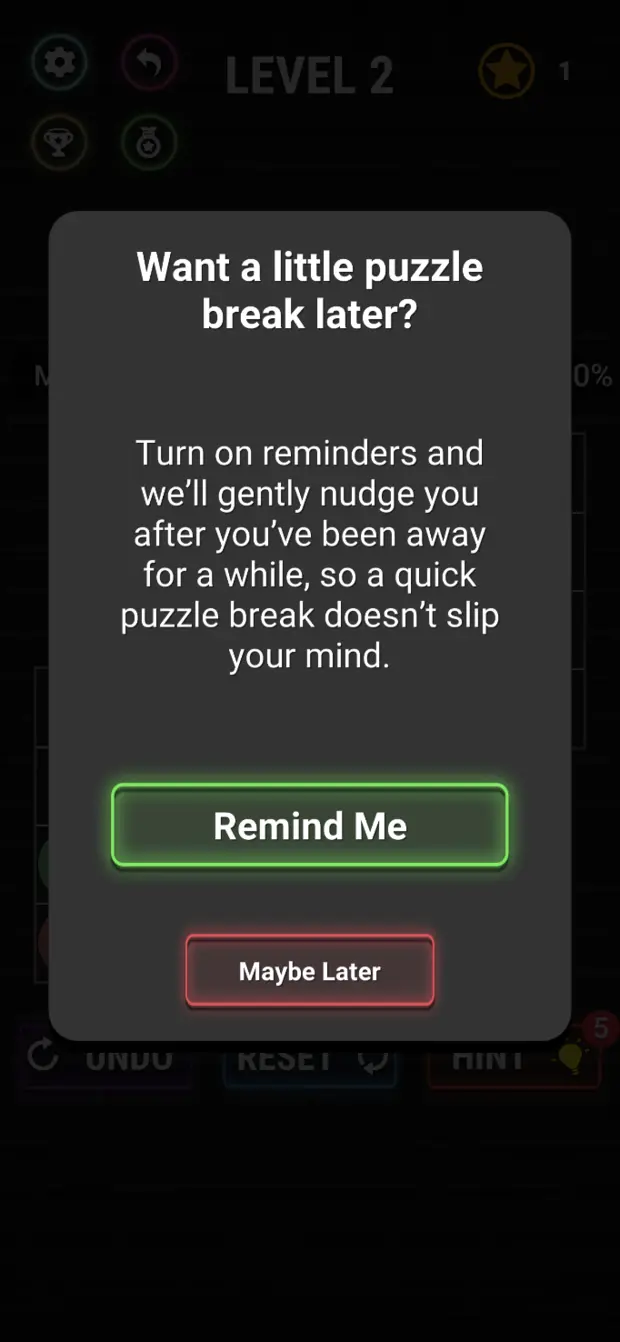
A custom Soft Prompt displayed in a mobile game

One connected lifecycle

A notification strategy starts before the native permission prompt.

Showing the operating system prompt on launch wastes the only moment that cannot be redesigned. LizardHouse Notifications can wait until the player has real context, introduce the value through your own UI, and request native permission only after a meaningful interaction.

Once permission is granted, the same system schedules local re-engagement journeys, respects Quiet Hours, removes stale reminders when the player returns, and exposes the result to your analytics and game logic.

The system

Three jobs. One coherent workflow.

Permission conversion

Qualify players through Active App Time and Custom Events, present your own Soft Prompt at a natural break, and preserve the native request until it has context.

  • Native Prompt or custom Soft Prompt
  • Automatic conditions or manual API control
  • Multiple follow-up opportunities
  • State-aware handling of denial and Settings
Local re-engagement

Build reminder sequences that begin when the app becomes inactive and stop being relevant the moment the player returns.

  • Independent delay per reminder
  • Three Quiet Hours policies
  • One Time Only lifecycle
  • Precise cancellation and rescheduling

Production-ready workflow

Configure behavior in one dedicated Unity Window, catch setup problems before saving, and connect localization and analytics without changing the core.

  • Android and iOS setup
  • Unity or custom localization
  • Firebase or custom analytics
  • Validation, demo and public API

Ask in context

Your UI first.
The native prompt when it matters.

Use your own prefab to explain the value of notifications in the visual language of your game. If the player chooses “Not Now,” continue with carefully timed follow-up prompts instead of spending the operating system request too early.

  • Wait for active app time, meaningful actions reported by your game, or both
  • Use the next Custom Event as a natural presentation point
  • Give each follow-up prompt its own delay and conditions
A custom notification Soft Prompt styled to match a mobile game

Stay relevant

A reminder sequence that understands app return.

Schedule local messages for meaningful inactivity points without running a notification server. When the player comes back, future reminders from the old cycle are cancelled and already displayed LizardHouse Notifications reminders are removed.

  • Respect, bypass, or pause delay during Quiet Hours
  • Protect reminders that should be received only once
  • Attach images, Android icons, notification keys and payloads
Re-engagement sequence
A six-step local re-engagement sequence configured in Unity

Understand before shipping

Decisions stay visible inside Unity.

The Settings Window turns a stateful, cross-platform system into an inspectable workflow. It detects required packages, validates the configuration, creates optional integration scripts, and explains what the current rules will do.

  • Setup Validation before settings are saved
  • Dependency and integration detection
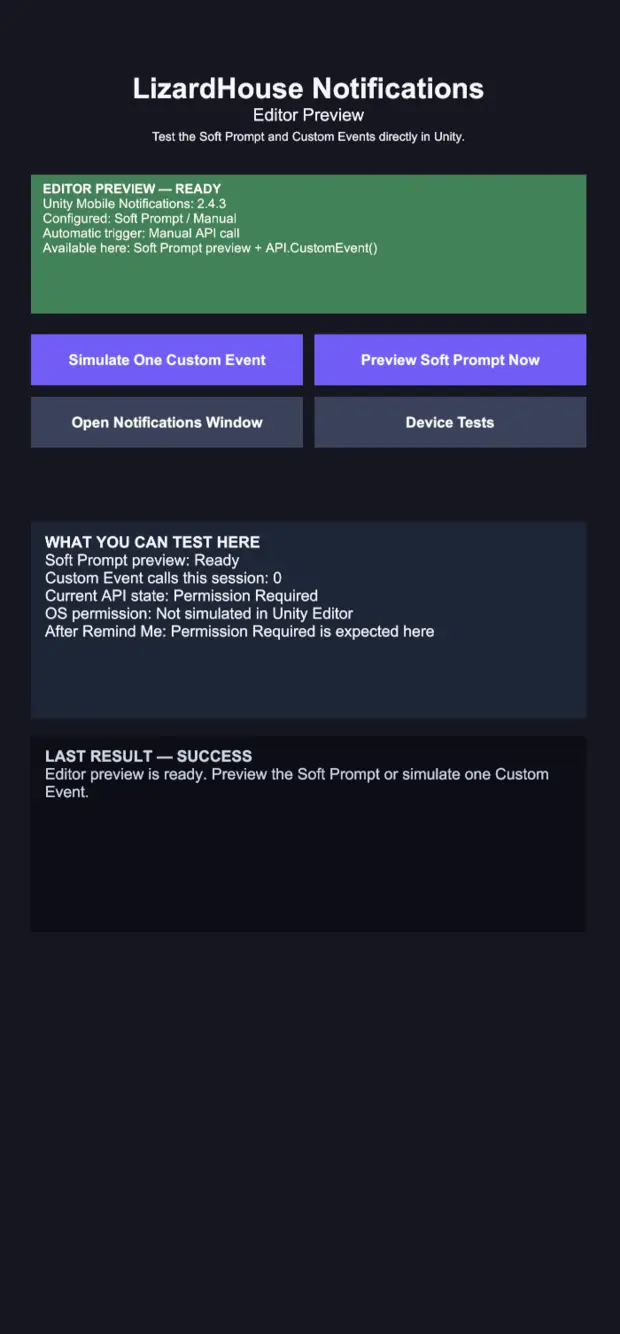
  • Demo scene for Soft Prompt and Custom Event preview
LizardHouse Notifications demo scene in the Unity Editor

Feature snapshot

Deep where the lifecycle needs it.

This is not a remote-push platform. It is a specialized permission and local re-engagement system with the production details handled.

Permission journey

  • Native and branded Soft Prompts
  • Active App Time and Custom Events
  • Automatic and manual presentation
  • Conditional follow-up prompts
  • State-change event and game toggle
  • Open device notification settings

Reminder lifecycle

  • Local inactivity sequences
  • Three Quiet Hours policies
  • One Time Only reminders
  • Images and Android small icon
  • Notification key and custom payload
  • Cold- and warm-start open callback

Workflow & integrations

  • Dedicated Unity Settings Window
  • Configuration validation
  • Unity and custom localization
  • Firebase and custom analytics
  • Configurable Android channel
  • Demo scene and public API

Good to know

Clear scope before purchase.

Does LizardHouse Notifications send remote push notifications?

No. It schedules local notifications on the player’s device. It does not include a cloud dashboard, audience segmentation, or server-sent push campaigns.

Which platforms are supported?

Android and iOS. The product builds on Unity Mobile Notifications and provides one permission and re-engagement workflow across both platforms.

Can the Soft Prompt match my game?

Yes. A Soft Prompt is your own uGUI prefab. LizardHouse Notifications manages when it appears and what each choice means; you control the visual design.

Do I need a notification backend or subscription?

No. Permission state, inactivity logic and reminder scheduling are handled locally. Optional analytics integrations can send product events to the provider you choose.

Will this automatically fix retention?

No tool can compensate for a product users do not want to revisit. LizardHouse Notifications improves permission timing and creates more opportunities for meaningful return sessions; it does not guarantee retention growth.

Can my game react when a reminder is opened?

Yes. The public open callback provides the configured notification key and optional payload, including when the notification launches a closed app.

Explore the complete product

See how every part behaves before you buy.

The public documentation covers installation, platform setup, permission journeys, reminders, integrations, API usage, device testing, and known limitations.